Table of Contents
AI-generated design can turn a simple idea into an impressive visual in seconds. You can create concepts for posters, banners, trade show displays, promotional materials, and other printed pieces without starting from a blank page.
But there is a catch.
A design can look finished on your screen and still not be ready for professional printing.
When you send an AI-generated design to a printer, several technical issues may need to be addressed first. Resolution, dimensions, color, text, bleed, margins, and finishing requirements can all affect how the final piece looks.
AI can help create the concept. Preparing that concept for production may still require professional design and prepress expertise.
Why an AI-Generated Design May Not Be Print-Ready
Imagine creating an AI-generated design for a large banner. On your laptop, the image looks sharp, the colors are vibrant, and the composition looks complete.
Now enlarge that same image to the final banner size.
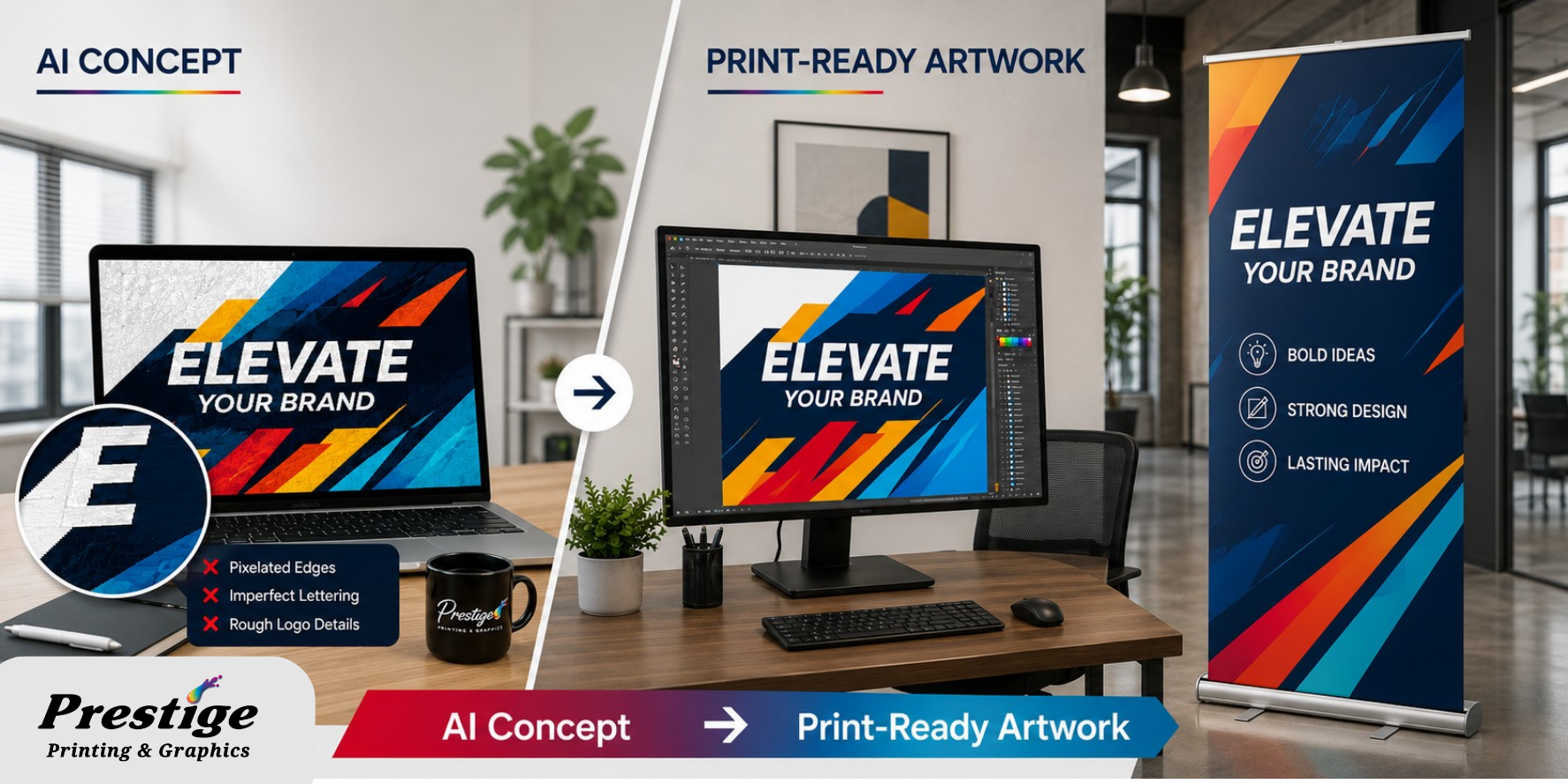
Suddenly, details may appear blurry or pixelated. Text that looked convincing in the preview may contain malformed letters. The logo may have rough edges. Important elements may also be positioned too close to where the banner will be trimmed, hemmed, or finished.
These issues happen because an AI image generator is primarily designed to create a visual result. It does not necessarily know the exact production requirements of the final printed piece.
A professional printer needs to consider both the design and how it will physically be produced.
Common Problems With AI-Generated Designs
Before an AI-generated design moves into production, several areas should be reviewed.
Resolution
One of the most common problems is resolution.
An image can look crisp on a phone or computer screen but lose clarity when printed, particularly when it is enlarged.
The appropriate resolution depends on the final dimensions, printing method, material, and expected viewing distance. A postcard viewed from a few inches away has different requirements than a large banner viewed from across a room.
Simply making an image larger does not automatically create additional detail. If the original AI-generated design does not contain enough usable image information, portions of it may need to be recreated or replaced.
Dimensions and Proportions
AI tools do not always generate designs using the exact proportions required for the finished product.
Stretching the design to make it fit can distort logos, products, people, and other design elements. Cropping can remove important parts of the composition.
Before printing, the design should be prepared according to the actual dimensions of the final piece.
This is particularly important for large-format printing, where even a small proportion or resolution problem can become much more noticeable once the design is enlarged.
Text and Fine Details
Text remains one of the biggest concerns with AI-generated design.
AI-generated images may contain misspelled words, strange letterforms, inconsistent typography, or text-like shapes that are not actually readable.
Carefully proofread important information such as phone numbers, addresses, dates, calls to action, disclaimers, and product information and, when possible, typeset separately using professional design software.
Very thin lines and small details should also be checked to ensure they will reproduce clearly.
Color
Another issue is the difference between screen color and printed color.
Computer screens typically display color using RGB light, while many professional printing processes reproduce color using inks or toner.
Because of this, extremely bright colors visible on your monitor may not reproduce exactly the same way on paper, vinyl, fabric, or another material.
Professional color management services can help prepare the design for the selected printing process and establish more realistic expectations for the finished result.
For additional background, Adobe provides educational information about RGB and CMYK color modes and how digital colors translate to printed materials.
Does an AI-Generated Design Need to Be Vector?
Not necessarily.
Understanding the difference between raster and vector graphics is especially helpful when preparing an AI-generated design for production.
Raster design is built from pixels. Photographs and many AI-generated images are raster files. They can print beautifully when there is enough resolution for the intended finished size.
Vector design is built using mathematical paths rather than pixels. This allows it to be enlarged without becoming blurry or jagged.
Vector files are commonly preferred for logos, icons, lettering, line art, cut paths, and precise graphic shapes.
Adobe also provides a useful explanation of the difference between raster and vector graphics for anyone who wants to better understand which format may be appropriate for a project.
If an AI-generated design includes a logo or another precise graphic element, that portion may need to be professionally recreated as vector design.
Automatic vector conversion does not always produce a production-ready result. Curves, typography, spacing, and other details may still need to be cleaned up manually.
Bleed, Margins, and Finishing Matter
A print-ready file includes more than what you see in the finished design.
If the design extends all the way to the edge, additional image area called bleed may be required. This allows the piece to be trimmed without leaving unintended white edges.
Important elements also need to remain within appropriate safe margins.
Depending on the product, an AI-generated design may also need to account for folds, binding, cutting, hems, grommets, seams, mounting, and other finishing requirements.
An AI tool cannot automatically account for these requirements unless the final design is specifically prepared for the production process.
This is why professional prepress services can be an important step between generating an image and sending it to production.
Why Can File Preparation Add Time and Cost?
If a printer tells you that your AI-generated design requires additional preparation, it does not necessarily mean the design has to be discarded.
It means work may be required to turn the visual concept into a reliable production file.
Depending on the project, file preparation could involve:
- Rebuilding a logo as a vector design
- Correcting or retyping AI-generated text
- Resizing or restructuring the design
- Creating proper bleed
- Adjusting colors
- Replacing low-resolution images
- Creating cut paths
- Preparing finishing guides
- Reviewing proofs
This work reduces the chance of discovering problems after production has already started.
Having the design reviewed early also gives you a clearer idea of the project’s cost and turnaround time.
How to Prepare an AI-Generated Design for Printing
You do not have to stop using AI for creative projects. It can be extremely useful for brainstorming, exploring visual directions, and communicating ideas.
A few additional steps can make AI-generated design much easier to move into professional production.
Start With the Final Product in Mind
Know what you intend to produce before finalizing the design.
A business card, brochure, banner, sign, poster, and trade show display all have different production considerations.
Keep Your Original Brand Assets
Whenever possible, provide your printer with your original vector logo, brand fonts, brand colors, high-resolution photographs, and existing design files.
Do not replace a clean original logo with an AI-generated recreation.
Add Important Text Separately
Avoid depending on an AI image generator to produce critical written information.
Create the visual concept with AI if desired, then add important text using professional design software.
Send the Highest-Quality Original File
Do not repeatedly resize, compress, screenshot, or export the image before sending it to your printer.
Provide the highest-quality original AI-generated design available.
Request a File Review Early
Do not wait until the day before production to discover that the design needs to be rebuilt.
A professional file preparation and prepress review can identify potential issues while there is still time to correct them.
Turn an AI-Generated design Into a Professionally Printed Piece
An AI-generated design can be an excellent creative starting point, but generating an attractive image is only one part of creating a successful printed product.
Resolution, dimensions, typography, color, bleed, materials, finishing, and production methods all influence the finished result.
Prestige Printing & Graphics can review your design, identify potential production issues, and explain what may need to be corrected or recreated before printing.
Whether you are creating business printing, signs and banners, marketing materials, or another custom printed piece, preparing the file correctly helps your original idea translate successfully from the screen to the finished product.
Have AI-generated designs you want to print? Send Prestige Printing & Graphics your file and project specifications so our team can help determine the next step.
Frequently Asked Questions About AI-Generated design
Can an AI-generated design be professionally printed?
Yes. An AI-generated design can be professionally printed when the file has sufficient resolution and is properly prepared for the intended product. Dimensions, color, bleed, margins, and finishing requirements may need to be reviewed before production.
What resolution should an AI-generated design have for printing?
The appropriate resolution depends on the final size, printing process, material, and viewing distance. Smaller printed pieces viewed up close generally have different resolution requirements than large-format graphics viewed from farther away.
Why does my AI-generated design look blurry when printed?
AI-generated images are often raster files made from a fixed number of pixels. If the image is enlarged beyond the usable resolution of the original file, it may become blurry or pixelated.
Does an AI-generated design need to be converted to vector?
Not always. High-resolution raster files can work well for photographs and many printed graphics. Vector design is generally preferred for logos, lettering, icons, line art, and graphics that need to be resized without losing sharpness.
Can a printer fix an AI-generated design?
In many cases, yes. Depending on the original file, a printer or designer may be able to adjust dimensions, correct text, create bleed, modify colors, rebuild graphic elements, or recreate logos as a vector design.
Why do my printed colors look different from the AI image?
Screens display color differently from printed materials. Bright RGB colors visible on a monitor may not reproduce exactly using printing inks or toner. The material being printed on can also affect the final appearance.
What should I send Prestige with my AI-generated design?
Send the highest-quality original file available along with the desired finished size, quantity, material, and intended use. If available, also provide original vector logos, brand colors, fonts, and high-resolution photography.
Can Prestige Printing & Graphics check whether my design is print-ready?
Yes. Prestige Printing & Graphics can review your AI-generated design and identify potential issues involving resolution, dimensions, color, bleed, typography, and other production requirements before the project moves into printing.